Triggers, eye tracking and hyperscanning: synchronisation in EEG studies
Even the best EEG signal is of little use if you do not know exactly when the stimulus appeared. Synchronisation is a common source of questions after installation, so we have collected the key information in one place.
In short: Triggers from the stimulus presentation software reach BioSemi through the USB receiver with a trigger input (16 lines). Check the display delay with a photodiode. EyeLink sends triggers to ActiveThree the same way as to ActiveTwo. Hyperscanning in ActiveThree is trigger-based and has no module limit.
How triggers get into the recording
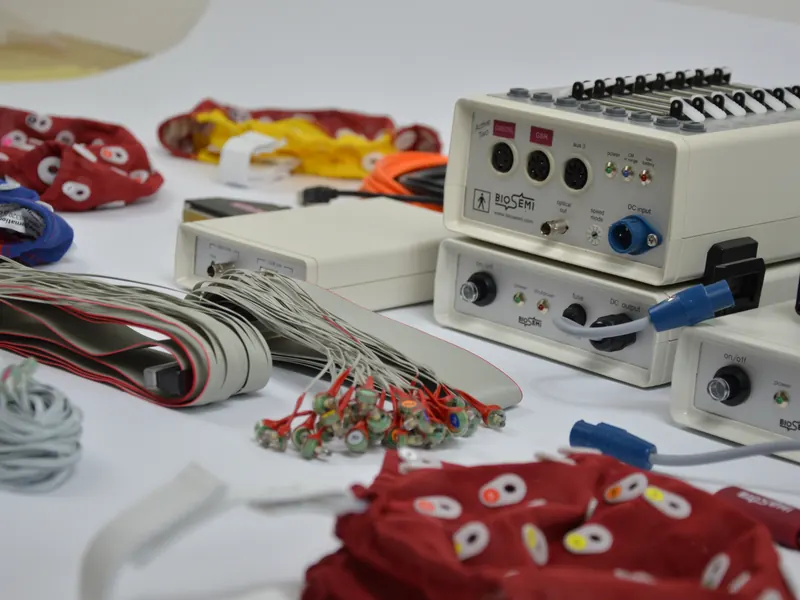
The USB receiver of a BioSemi system has a trigger input and output connector: 16 input lines and 12 output lines. The stimulus presentation software (e.g. PsychoPy, Presentation, E-Prime) sends an event code, which is saved in the status channel together with the EEG.
We add a USB Trigger Interface to every kit. It lets you send triggers from the computer over USB, without the old parallel port that new computers no longer have.
Check the delays
The moment a trigger is sent is not the same as the moment the stimulus appears on the screen. The monitor has its own delay, and so does the sound card. Before the first study, measure it with a photodiode attached to the screen or a microphone next to the speaker, and compare it with the trigger time. A constant delay can be corrected in the analysis. A variable one has to be eliminated in the settings.
The Jagiellonian University team to whom we supplied ActiveThree wrote their own code for sending triggers. If your IT specialist prefers to write their own solutions, the BioSemi receiver allows that.
EEG and EyeLink
Many labs combine EEG with an EyeLink eye tracker. When labs started moving to ActiveThree, they asked us whether this still worked. The manufacturer confirmed that receiving triggers from EyeLink works in ActiveThree the same way as in ActiveTwo. It is best to synchronise the two recordings using the same event codes sent to both devices.
Hyperscanning in ActiveTwo and ActiveThree
Hyperscanning is the simultaneous EEG recording of two or more people, e.g. during a joint task or a conversation. In BioSemi systems it works in two ways:
| ActiveTwo (optical) | ActiveThree (trigger-based) | |
|---|---|---|
| Connection | modules daisy-chained with optical fibre | each person has their own module and computer |
| Number of modules | up to 4 | no limit |
| Sampling | up to 2 kHz, requires Speedmode | up to 16 kHz |
| Synchronisation | all data on one computer | the main computer starts the recording; triggers travel over UTP cables through the Hyperscanning USB Trigger Interface |
According to the manufacturer, trigger-based synchronisation is about as accurate as optical synchronisation. ActiveThree can also be connected to other devices. The main module must be an ActiveThree, and the other devices must read at least two trigger lines and save their data in a known format.
Checklist before a study
- event codes described in the project documentation,
- a photodiode delay test after every change of monitor or computer,
- a short test recording to check that all triggers are in the file,
- for hyperscanning: a test start from the main computer and a comparison of the triggers in all files.
Sources: BioSemi specification 2025; BioSemi FAQ on the Active3 system; correspondence with the manufacturer (2025).

Dr Marta Szewczyk
Cognitive psychologist with a PhD in EEG/ERP research on attention (John Paul II Catholic University of Lublin). She leads BioSemi installations and teaches EEG recording.